

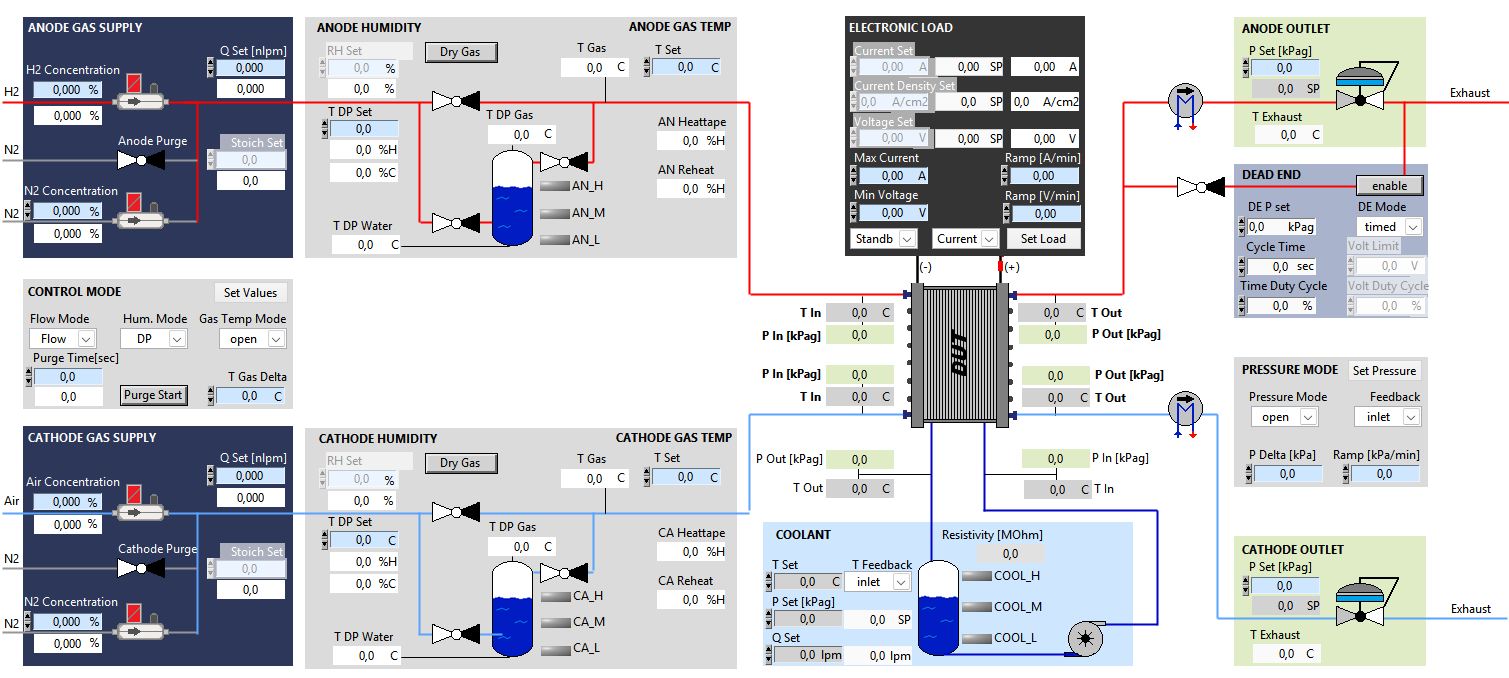
ADMIRAL comes with a custom designed process view to match your test station and requirements. In addition the software offers settings and options to customize the testbench after the commissioning.
The process view gives a graphical overview of the test station with all the relevant process data. Setpoints can directly be changed in the process view. Features like ramps and pressure or temperature locks allow a easy control of the station. The process view is build individually for each station and can be adapted with customer requirements.
For Fuel Cell test stations the process view typically contains a gas flow section where the different MFCs can be mixed and set. Their flow can be set directly or calculated by the stoichiometry.
The gas flow is followed by the humidity and temperature control, where the humidity can be defined by the dewpoint or as relative humidity. Some stations offer also dry gas bypass.
The Load module contains the settings for current and power, as well as options for ramping and current density control.
Around the stack symbol are the most important measurement values displayed.
The pressure can be set individually, using ramps or connect cathode and coolant to the anode level.
The station in this demo picture also offers a dead end mode on anode side.
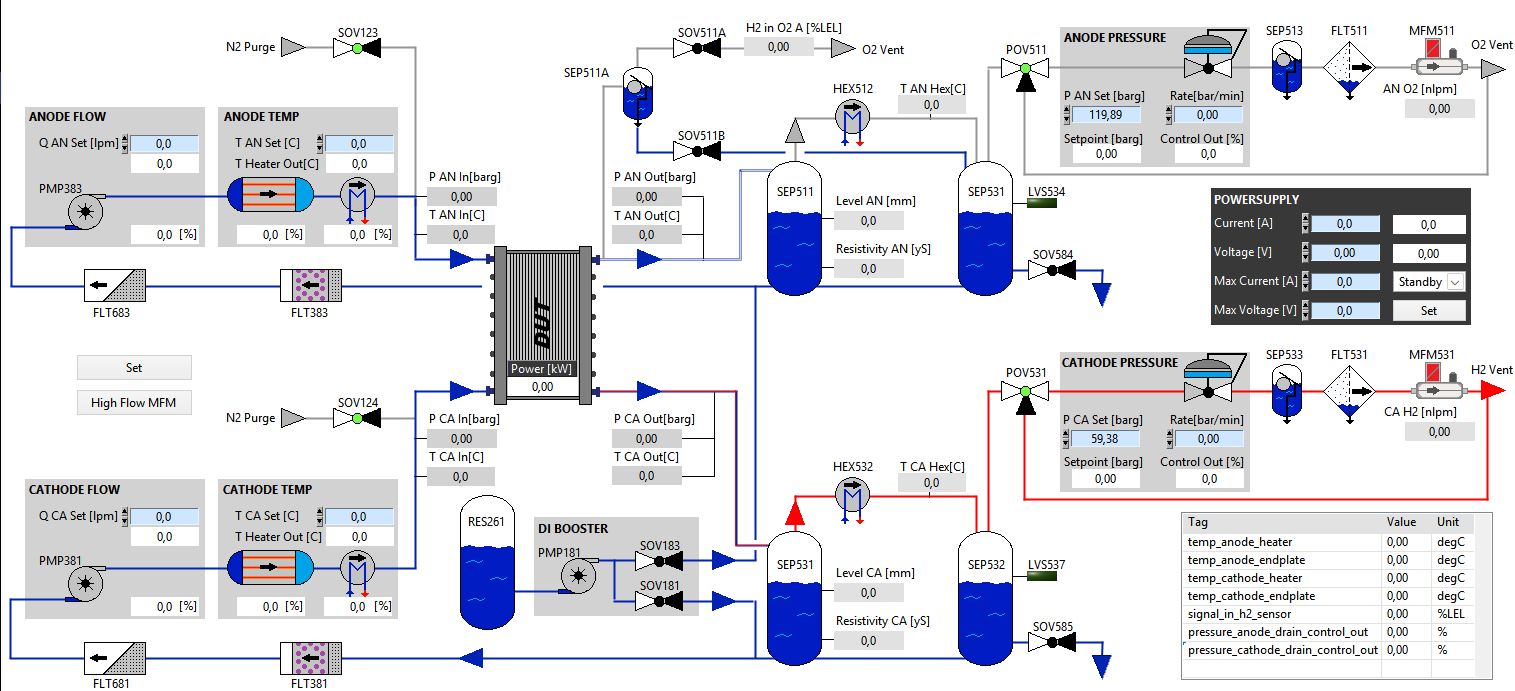
Electrolyzer test stations process views are also created independently following a base design. The Anode and Cathode (optional) loops are typically displayed at the left side. They contain set and read values for flow and temperature control of the water.
Around the stack symbol are the most important measurement values displayed.
Ths stack is followed by the water separators, pressure regulation and gas analysis.
The pressure is typically set using ramps due to the high pressure levels.
The Power Supply module contains the settings for current and power.
In this example a table was added to the lower right section to display values from a customer request.
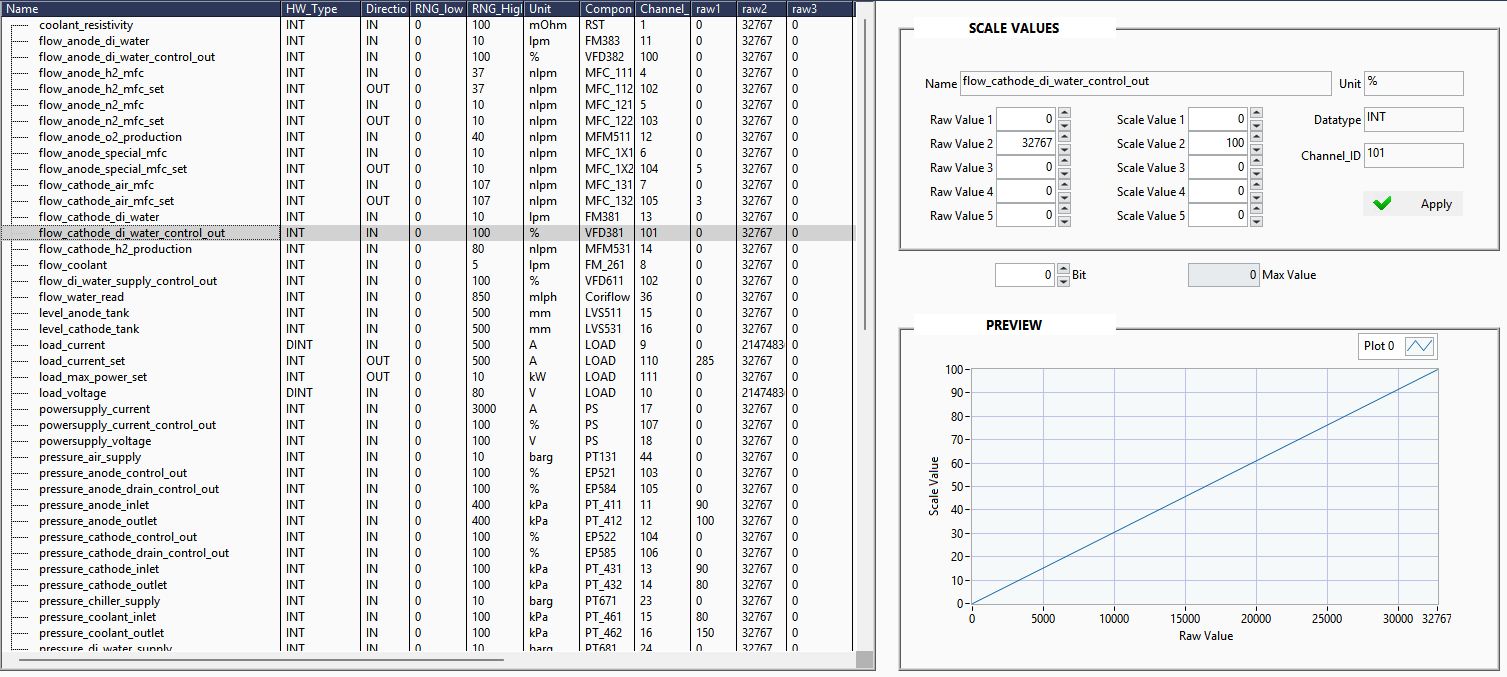
Scale analog inputs and outputs with up to five scaling points.
ADMIRAL can scale all it's inputs and outputs with up to 5 scaling points. This allows the user to handle non-linear behaving sensors and actors as linear components. Especially in combination with a calibration by TIRRON this feature saves a lot of time and can extend the lifetime of some components.
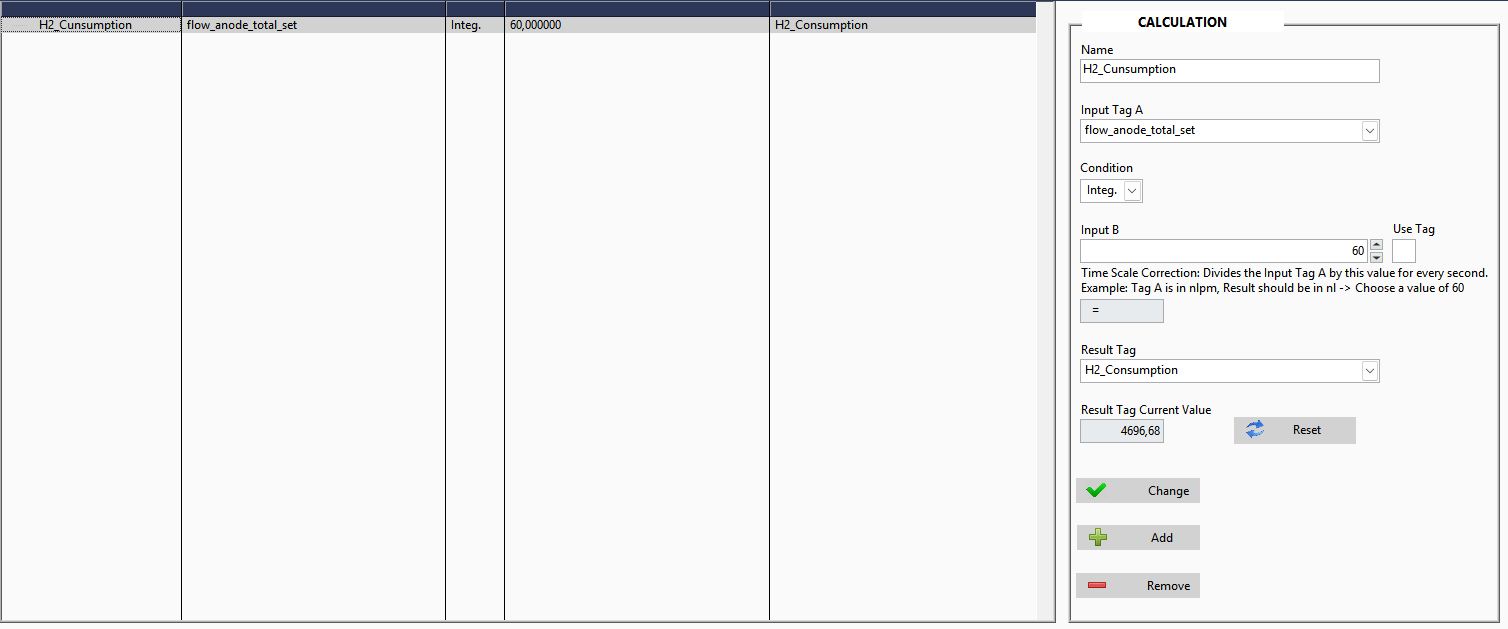
Add custom calculations
In calculations simple mathematical equations can be set to calculate for example temperature differences or flow ratios. Tags can be modified by numeric values or combined with other tags. Also an integration is offered, to calculate for example a gas consumption.
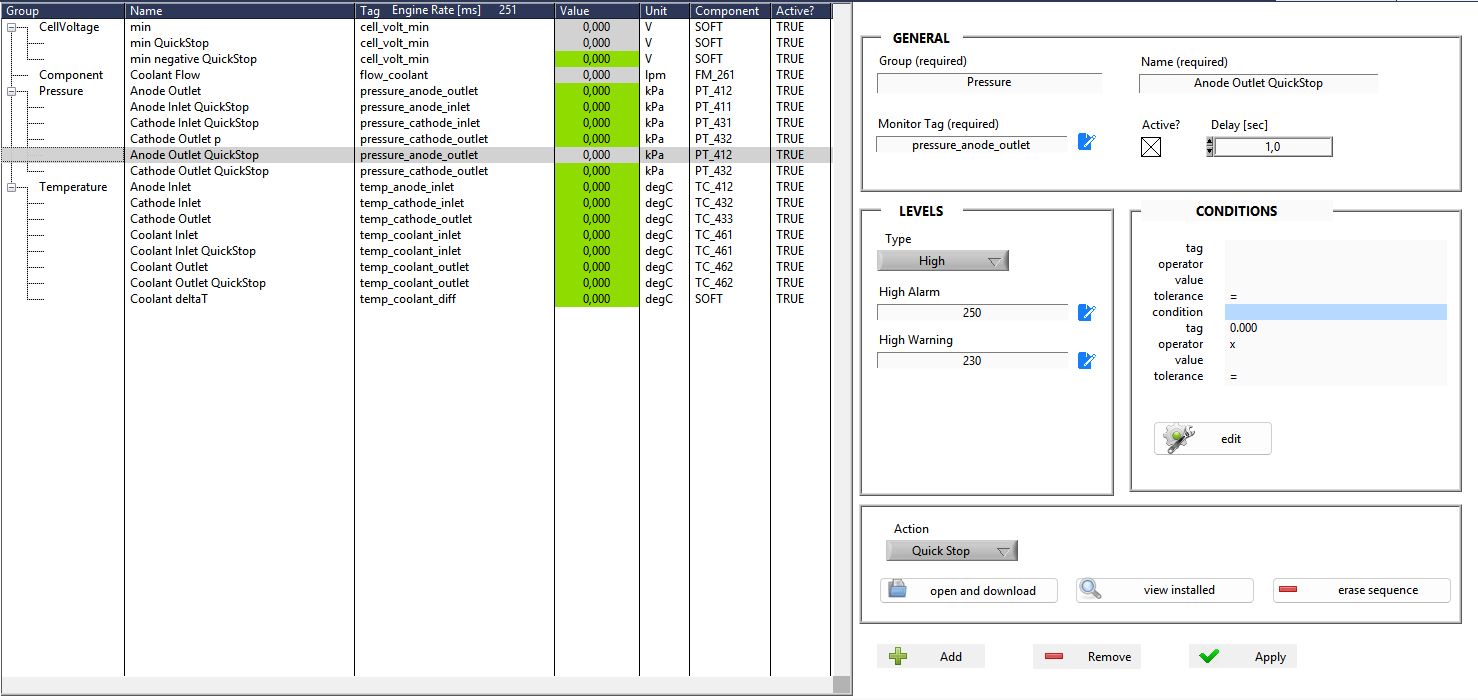
Add custom safety alarms
The Monitor allows you to add custom alarms to protect your test specimen.
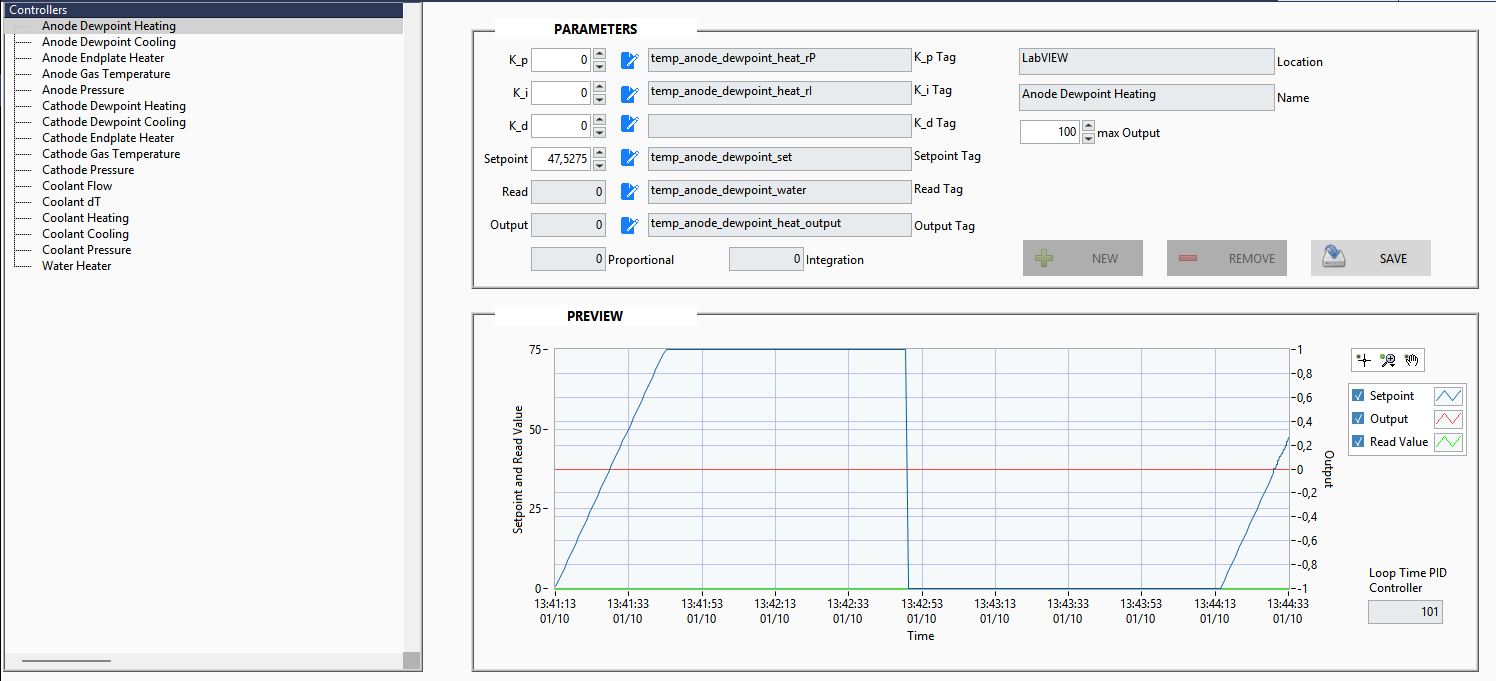
Easily add and adjust PID controllers
The station comes with PI or PID controller for components like heaters, valves or current/voltage. The controllers are preset during the commissioning but can be adjusted in this window. Also additional controllers can be added to control for example external devices which are connected to spare IOs.
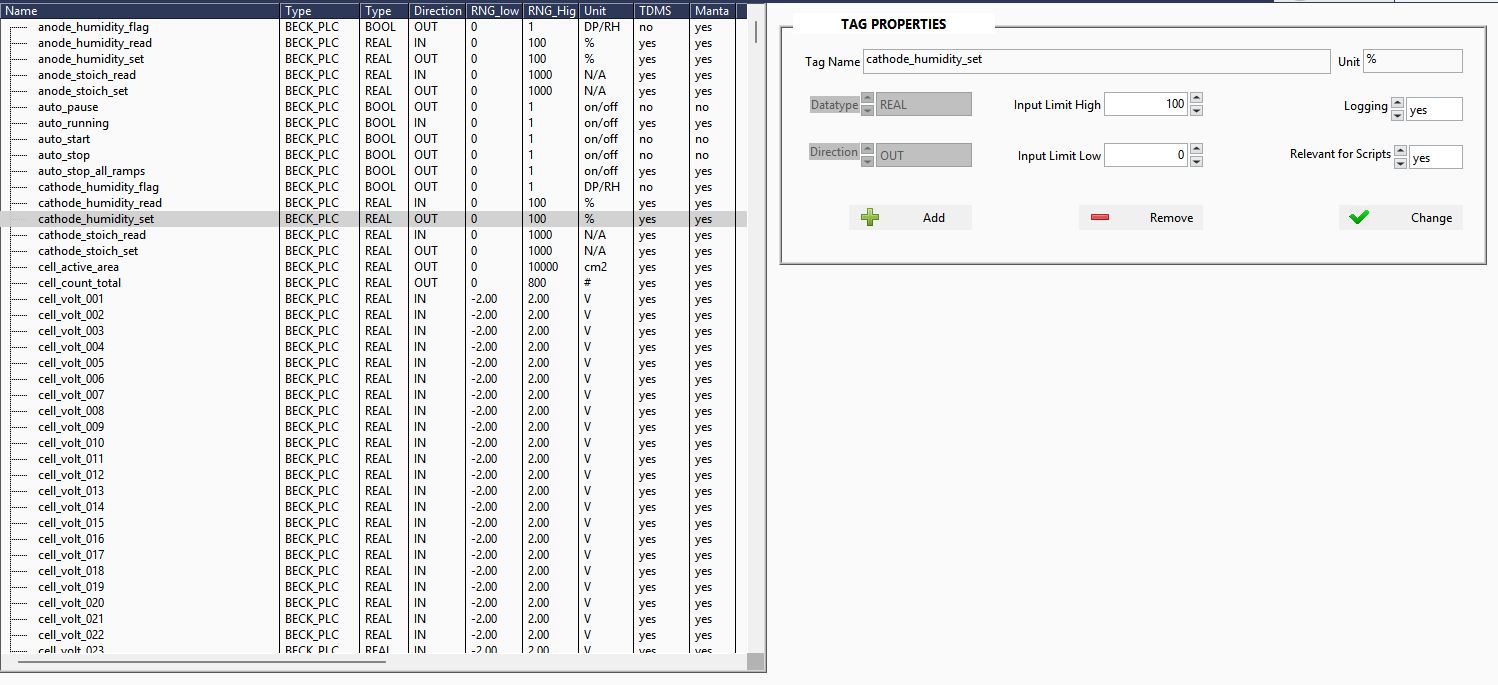
Edit tags
With the Tag Editor limits can be adjusted, logging settings can be changed and customer tags can be added.